 Penna
PennaTurn a photo into a coloring page you can print
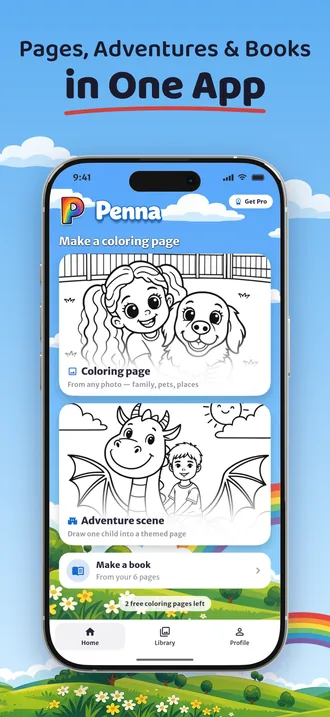
Penna is an iPhone, iPad and Android app that turns a photo into a printable coloring page and lets you put your pages together into a coloring book you print at home.
Take a photo of your child, your dog or the whole family, pick a style, and Penna draws clean black-and-white line art for A4 or US Letter paper.
Free to try: 2 pages to start. No account needed.
How it works
Take or pick a photo
Use the camera or choose a photo from your library: a child, a pet, grandparents, a favorite place.
Pick a style
Cartoon, classic coloring book or anime, from simple outlines for little hands to detailed line art.
Print, save or share
Print from your phone on A4 or US Letter, save the page to your photos, or share it as a PDF.
Make a coloring book starring them
Pick your pages, put them in the order you like and Penna turns them into one PDF book you print at home. Staple it, clip it into a binder or take the file to a copy shop.
With Penna Pro you can add a cover with a title, in color from an adventure page or in black and white from any other page.
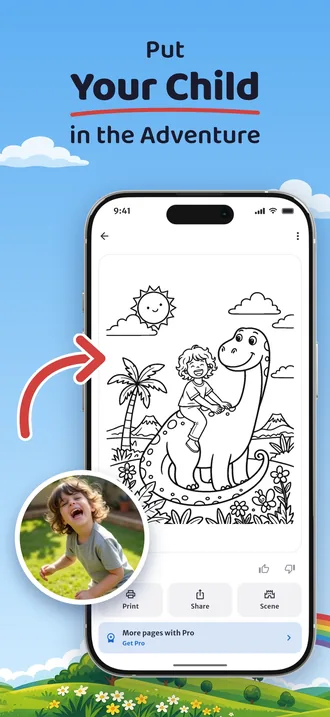
Draw them into an adventure
Penna can draw the person in your photo into one of 24 scenes: riding a dinosaur, flying to space, diving under the sea, driving a fire truck, shooting hoops and more.
Tap Try another scene and the same person gets a new adventure, without a new photo. Scenes work with photos of one person.
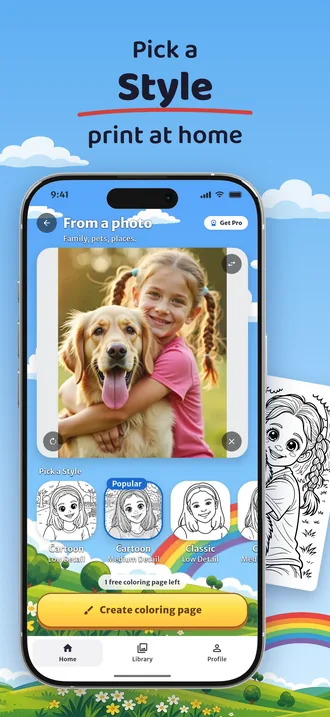
Seven styles, from simple to detailed
Cartoon outlines with big shapes for small children, a classic coloring book look in three levels of detail, and two anime styles. Pick the one that suits the child who will color it.
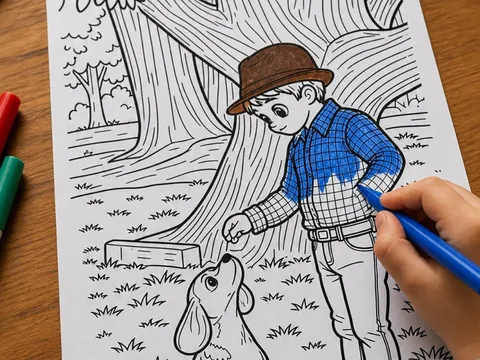
Printed at home, colored on paper
Every page is sized for A4 and US Letter and prints from your phone's own print menu to any home printer. The children color on paper; the phone stays with you.
Your photos stay yours
- Your photo is deleted right after processing.
- Your pages and books are saved on your phone, in Penna's Library.
- No account, no sign-up, no email address.
- Your data is never sold.
Read the details in our privacy policy.
Free to try, Penna Pro for more
| Free | Penna Pro | |
|---|---|---|
| New pages from photos and adventures | Free to try: 2 pages to start | Many more, for whole books |
| All 7 styles and all 24 adventures | Yes | Yes |
| Coloring books as one PDF, print and share | Yes | Yes |
| Book cover with a title | No | Yes |
Penna Pro is a weekly or yearly subscription. The price is shown in the app before you buy, and you can cancel any time in your App Store or Google Play account.
Guides and ideas
How to turn a photo into a printable coloring page
Turn any photo into a printable coloring page with Penna on iPhone or Android: take or pick a photo, choose a style, print on A4 or US Letter. Free to try.
How to make a custom coloring book from your photos
Make a personalized coloring book from your own photos with Penna: turn photos into pages, put them in order, export one PDF and print it at home.
A coloring book of the grandchildren, a gift for grandparents who have everything
A gift for grandparents who have everything: a coloring book made from photos of the grandchildren. How to make one with Penna and print it at home.
Rainy day activities for kids at home, no screens needed
18 screen-free rainy day activities for kids at home: blanket forts, indoor scavenger hunts, baking, puppet shows, puddle walks and coloring pages of themselves.
Make your first page
Penna is free to try on iPhone, iPad and Android.
Scan this code with your phone's camera to get Penna.
Free to try: 2 pages to start. No account needed.